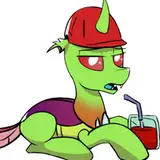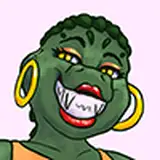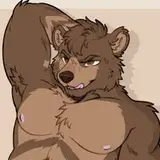
6 Different Fluff mesh & 2 Haircuts that can be combined to your likings, ranging from a short coat to a very fluffy girl !
12 Customization Blendshape you can use to create wide a range of body shapes
This first set of clothes includes everything you need to dress up your Mamazear
16 Customization Blendshapes available to customize Mamazear's Face & Muzzle, You don't want CheekFluff or 4 Ears is to much for you ? Change that in just a few clicks !
Full Face and Eye tracking Using Unified Expression Blendshapes and Adjerry's Face Tracking Template
In game menus can include a wide range of customization options you can change on the go, all while remaining within parameters limits and Face tracking included thanks to VRCFury !
Clear and organized prefabs to easily customize and Optimize your Mamazear features. You don't need Hue Shift or a Breast Shape options ? Get rid of it with a few clicks, And if you want it back it's just a easy to add !
Also comes with a documentation explaining how everythings works !
You want to create your own clothes ? Mamazear comes with 29 Localized Shrink Blendshape to assist you in avoiding thoose pesky clipping issues !
Substance painter 2021 was used to texture the model
This Avatar is NOT Quest Optimized
• Share or gift any of the files to anyone.
• Claim the avatar as your own.
• take any part, file, shader, menu off the avatar to use anywhere else
• Upload any of the files on a Google Drive or any Online Hosting services.
YOU CAN:
• Credit me when you can
• Do reskin and modification on the avatar for a client as long as both of you bought the avatar in order to rightfully use it
• Upload public version of the avatar as long as it is accessible for everyone on a pedestal in a public world
This asset is provided as is, without warranty of any kind
Purchasing this asset grants you a personnal use liscence only.
Due to the nature of the asset, i do not offer any form of refunds
_______________________________________________________________
I am NOT responsible of any action taken against you if you break the VRCHAT TOS.

Using VRChat Creator companion (VCC) , Create a new Unity Project.
You need to have VRCFury imported (Download it here )
For Face Tracking user : You'll need VRCFT - Jerry's Templates ( Download it here )
Import Gesture Manager
Your project packages list should look something like this :


A little explaination since this is by far the most asked question on my discord despite being document as well on the Deuzear Page.
In the case of Mamazear_Tail_Fluffy, i left it in Modular_Fluffs so you don't have to add it yourself, but in order to keep the polycount low it has been disables and Tag as EDITOR ONLY . this tag means it won't be uploaded to vrchat and should be changed to UNATGGED. it all happens in the inspectior once you clicked on the tail
for thoose who don't read i'll type it again in big bold letters and with pictures !


This game object contains all the avatar features, packed into a VRCFury components, You can mix thoose as you wish, remove ( Editor only tag please ! ) thoose you don't want in order to make space in the Paramaters for your other stuff

This game object contains all the avatar fluff and tail Meshes, all packed in a VRCFury components. i strongly suggest removing ( Editor only tag please ! ) thoose you don't want, you'll save on some polygons !

This game object contains all the avatar Clothes Mesh, all packed in a VRCFury components. i strongly suggest removing ( Editor only tag please ! ) thoose you don't want, you'll save on some polygons !
VRCFury components are all located on the Hip bone of their respective armature

This game object contains all the avatar physbones components ( With the exception of both haircuts wich are required to be child of Head bone in order to not appear in 1st person view )

If you wish to optimize the amount of components, Snoot and Beans should be the first to go

This Game object contains a Physbone Collider components, It's Used by Tail and Beans physbones to Collide with the Floor and help avoid them clipping through the ground.

This game object contains all the avatar Rotation/Parents Constrain Components. Theese are used in a special rig Setup to give the Hips, Belly, rear and forearms better looking deformations
>Belly

Green bones have rotation contrains targeted to Spine, they help keep the Bellyshape when bending forward and Backward
> Leg_L & Leg_R

Symetrical, Green Bones have rotation constrains targeted to their respective Leg and help Keep the leg Shape when bending the Leg.
> rear

Symetrical, Green Bones have rotation constrains targeted to their respective Leg and help Keep the rear Shape round when bending the Leg.
Theese aren't inside the constrains folder but directly on the armature
Simple bone setup to ease the wrist rotation ( blue highligted bones )

This game object contains all the avatar Colliders components, CURRENTLY USED BY HAIRCUTS ONLY. If you're not gonna use the provided Haircuts you can modify them or tag the as Editor only to optimize your avatar

This game object contains all the avatar Contact components, They're responsible for playing an animation when a player boops or headpat you

This game object contains the sounds used on the avatar, Currently it only has the SnifSnof sound ( Double Thumb gesture)


By Default Mamazear Comes with all the normals and AO for all the Fluff Options, I Baked theese maps and manualy painted the AO transition when needed.
Because transition are painted on the Fluff and the Body as well, if you do not plan on having some of the fluffon your avatar, make sure to hide the appropriate Layer group.
I premade some different Normal&AO Layer Groups for the different boob size. the only difference is they have a white mask where i lower the Opacity of the AO in the breast area to make it less strong the smaller the breast gets.
Theese are the AO decals used in the Poiyomi Body materials and Breast_Shape slider ( to export them yourself, just add a fill layer full mask below and hide all the color layers

The remaining layers are your usual fill layers with black mask. we all have our methods for painting avis but i tried to keep every layer named according to what they do.


For the UwU Texture, Body textures have been export by channel ( color, Normal, metallic, roughness ) and added on a Fill layer, The UWU stuff are painted on other layer on top of it.
Every color transition is manually painted in a paint layer ( simple process, just go into single channel/Base color view and use the color picker to paint smooth transition )
UWU stuff AO and normal is then added on Top and contained within Black or white masks

I'll share here the export settings i use for Unity. There's a few pre-requisite
>Your Avatar main mesh MUST be named Body
> Select All the objects you wish to export , if it's not selected it will not export.
>Make sure you're on Keyframe 1 This is for the tail position
>Each mesh are exported individually with the armature ( with the exception of glasses who don't need an armature & haircut who are exported with their own armature)