XaiJu
ConQ
ConQ

patreon


AI/HS/HS2/KK - BDSM Set 13 - Patrons Only

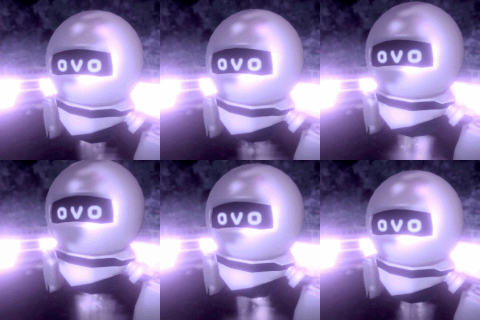
Here we have a very nice new BDSM device for you. Fill it and swap to  the other position, as often you want, so it wont get boring for you! Or  maybe invite a friend and have a nice conversation while you both...  He. He. He... You know. Also I added a new cuff in two variants and a...  Handle... Because... Well, I made it. Maybe it's useful for something.  :D


Some tipps and hints:

AI/HS/HS2/KK
With HSPE, HS2PE, AIPE, KKPE (depending on the game you use), you can adjust the camera that projects a picture on the monitor. Just look for Camera_L or Camera_R (depending on which camera you wanna adjust) and change its position or rotation.
Also I added two poses as a good base when working with it. Check my poses in my public MEGA folder: Click

HS
When using HSSSS you might have issues with the monitor, casting weird shadows on the character. In that case you simply have to set the Skin Scattering Weight to 0


Changelog:
V1.01 (AI/HS/HS2): Fixed an issue of the screen turning white on movement (AI/HS2), fixed render textures for two items to have a higher resolution (HS)
V1.00 (AI/HS/HS2/KK): Release

AI/HS/HS2/KK - BDSM Set 13 - Patrons Only AI/HS/HS2/KK - BDSM Set 13 - Patrons Only AI/HS/HS2/KK - BDSM Set 13 - Patrons Only AI/HS/HS2/KK - BDSM Set 13 - Patrons Only AI/HS/HS2/KK - BDSM Set 13 - Patrons Only AI/HS/HS2/KK - BDSM Set 13 - Patrons Only AI/HS/HS2/KK - BDSM Set 13 - Patrons Only

Comments

Mmmmh. Where is the issue exactly? I wanted to make some example scene, but got a little sidetracked.

Conquestus

I have no idea how to use this in studio...

CyberShark117

Mmmmmh, when I finish my current mod, I'll try to think of something.

Conquestus

Could we please get like an example scene with someone already in the device or a pose for the device? Thank you!

Inferius

This fixed it, Thank you! Now that I can see the characters I noticed they also suffer the broken Next-Gen skin shaders from a while back. I think OrangeSpork might have to implement his fix for it in the Graphics Mod, like he did for the other camera / mirror objects.

Saul Goodman

Alright. It was a setting I changed last minute, to avoid showing the skybox when its deactivated in the graphics plugin. Didn't know it would cause this error. But it should be fixed now with the new version, at least for me the issue didn't occour in my test run again. Thx for reporting this issue to me :D

Conquestus

Okay. Now I see what you mean. That's weird. When I made my preview shot, I didn't had that issue. Now I need to find out what's causing this... Probably some camera setting I changed, to hide the skybox if it's invisible.

Conquestus

Hmmm, that's weird. I didn't had issues like that. I use graphics mod. I will check if I can recreate your issue.

Conquestus

So I added them to the studio to try out, any movement makes the monitor screens turn white? Maybe it's the graphics mod interfering somehow? Do you use Graphics mod or DHH in your scenes?

Saul Goodman


More Creators