XaiJu
Zarphus

Zarphus

gumroad


Zarphus posts

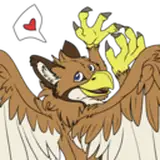
VRChat Gryphon Avatar

A Customizable Gryphon avatar for VRchat

new for 1.2: added bird leg version, improved substance file, added photoshop files!

Includes:

  • Unity project with the rigged model, avatar files, and scene ready to upload to VRchat
  • Substance Painter project file, Photoshop files

Avatar Features:

  • SDK 3.0 ready Gryphon avatar, pre-configured for VRchat
  • Full body support
    View Post

Lewd Kita'Vali mod

NSFW kita'vali mod for VRChat

DISCLAIMER: the Kita'vali Avatar base is FREE at the kita'vali discord! you will need the avatar to use most of these assets properly! this listing is NOT for the avatar, but rather for the unique assets added to it.


this is a NSFW modification to the Kita'vali avatar, pre-configured for use in VRChat.
it is similar to my davali edit, but with some improvements and slight changes.

Features: modeled and base-mesh inte...

View Post

Lewd Davali mod

DISCLAIMER: THE 1.4 and 1.5 "Davali" avatar are FREE in the Avali Army discord! you will need the avatar to use most of these assets properly! this listing is NOT for the avatar, but rather for the unique assets added to it.

this is a feature driven mod to the base davali, for those looking for something a bit more "after dark". built with existing recolors in mind.

Features: modeled and base-mesh integrated, animated vaginal and anal orifices, and an additional animated penis m...

View Post

AwtBeak

a Beak mask fit for the VRchat Otter avatar

directions:

1: Drag beak into unity scene window

2: move beak to 0,0,0

3: move avatar to 0,0,0

4: make sure beak object matches the scale the avatar has been set to. if done correctly the beak will now look like it's in the correct position!

5: on the left side pane, drag the beak object into the head object of the avatar.

6: play with materials to make it look how you want, and you're done!

Arflin Beak

a Beak mask for the Arflin avatar by Hobbert.

directions:

1: Drag beak into unity scene window

2: move beak to 0,0,0

3: move avatar to 0,0,0

4: make sure beak object matches the scale the avatar has been set to. if done correctly the beak will now look like it's in the correct position!

5: on the left side pane, drag the beak object into the head object of the avatar.

6: play with materials to make it look how you want, and you're done!

View Post

Avali toy beak mask

a fun toy beak to add to the 1.4 Avali or similar avatar!
just drag the fbx onto the head in the hierarchy and it should fit perfectly, if the avatar was not scaled.
i suggest changing the material shader to match the one your body uses. (i didnt for the screenshot, you can see how it looks a bit odd as a result)