The Return of the Nisa & v1.0.972a
Added 2018-06-02 02:35:38 +0000 UTC
TLDR: I’m back from the move, hotfix linked below.
Hello again, I’m now moved into my new apartment! Thank you to everyone who stuck with me through this move, as many of you know, I’ve been planning this for a long time and I’m so happy to be in a safer, cheaper place. The trip was long but I’m safe and everything traveled okay but I did go through quite a few storms on the way to my new home. I felt like I was going to die the entire time, and when I finally arrived the first thing I did was unpack my computer. I felt my heart stop when my hands touched the soggy boxes, my mind began to race as I began trying to anticipate the damage concealed inside the boxes. They were soaked during the storm but luckily because I bagged and double or triple boxed the computer and all of the components, the computer made it through!
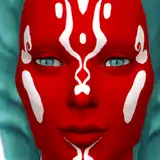
I will begin looking through and replying to all my missed messages tonight and into the morning. As I got close to my destination I did glance through quite a few of my messages and I saw some bugs that needed to be fixed, so attached below is a hotfix with a reworked autonomous npc soliciting prostitute dialog box (it now has an image of the sim and their name as shown below) and a fix for the climax bug with prostitutes!

It’s so great to be back 😊
Comments
thank you
Praefectus Castorum
2019-06-13 07:39:32 +0000 UTCI am new so don't know proper protocal but I joined today, updated your file and got this exception error: Ver 2.1.0n at Time: 06/13/19 02:35:45 on Windows with WW 4.3.5.144.2 and Basemental 2.9.6.12.93 Traceback (most recent call last): File "E:\\Python3_7_0\\WickedPerversions\NisaK\utilities\ww_overrides\period_override.py", line 59, in nisa_wrapper_new_update_sim_period_content TypeError: nisa_update_sim_period_content() got multiple values for argument 'skip_auto_use'
Praefectus Castorum
2019-06-13 07:39:18 +0000 UTCI had no idea there were ever CDs for the sims 4! I'm thrilled you found a solution to your problem. I was starting to really worry, especially since I still haven't heard back from the original user who reported (and fixed this) this problem. Thank you for telling me the solution!
Nisa K.
2018-06-12 06:11:34 +0000 UTCHello Nisa, Here is an update for my problem. It is very embarrassing that I am on the simplest solution only after hours of reinstalling, mods out and back in .... play without memory ec. came. I just put in the cd, thank God I did not buy everything about Origin. Now the game is stable with all mods, thanks. I would be interested in everything, or someone that ev also happens, how to play without a CD. Thank you for your effort and the great mod LG
Mystic-Sims
2018-06-12 04:41:05 +0000 UTCThank you, for the quick reply, I hope everything works out lg
Mystic-Sims
2018-06-10 21:41:03 +0000 UTCJust a follow up, I found another user who had this issue and found a fix, I messaged them about it and I'm waiting to hear back.
Nisa K.
2018-06-10 21:03:16 +0000 UTCI've heard this issue before, iirc it wasn't from my mod, it was something with the users setup, give me some time and I'll see what I can find out.
Nisa K.
2018-06-10 19:36:11 +0000 UTCHello Nisa, because I like your mod so much and I always had a bug in the public version, which occurred after a few minutes of play. My game was unplayable and when I closed the game over the Windows key I had a box in the background "TS4 exe no disk". Since I installed the WW Patron version, I had decided to get the Nisa Patron version too. Unfortunately I still have the same problem ... :( Do I have to have the Patron Basemental Drugs version now? Or what can the problem lie .... A load option error about my MCC does not exist, otherwise everything goes great sorry for my bad English LG
Mystic-Sims
2018-06-10 18:40:05 +0000 UTCHey, could you please send the LE to me?
Nisa K.
2018-06-09 14:16:59 +0000 UTCI have sometimes lastexeption error when i registrer depth. Can someone confirm that?
Mortiferus
2018-06-09 12:12:52 +0000 UTCI added the trait back, used the debugging option and played the character for awhile. The tears did go away. Thank you for your help!
2018-06-08 23:44:10 +0000 UTCYay! I'm glad we were able to come to a solution!
Nisa K.
2018-06-06 03:47:49 +0000 UTCHello! Oh wow, I didn't anticipate that scenario! I'm looking over my code and I can't believe I didn't make a debugging option for this scenario! Next update I'll have to work on some workaround for this situation... In the meantime, try readding the Sensually Tight trait to your sim and then go to the Tam explorer and under the debugging option choose the 'Unstuck Sensually Tight Sims option' wait for body effects to disappear (if they don't immediately, it should just try to restore where your sim should be if they never removed the trait) and then remove the trait. Optionally, if you'd like to keep playing the Sensually Tight sim but without the crying overlays then may I suggest that you wait for the effects to disappear and disable crying from the Tam Explorer settings? Let me know if this doesn't work out for you and we can do a different solution. I'm sorry for the inconvenience!
Nisa K.
2018-06-06 03:46:08 +0000 UTCHi Nisa! I have a quick question. How do I remove the tears? I removed the sensually tight trait but that didn't seem to work. I appreciate your help. :)
2018-06-06 02:09:22 +0000 UTCThanks it worked once I cleared the caches xx
Ally A.
2018-06-05 22:15:43 +0000 UTCI'm glad :) maybe it was a dirty cache :D let me know if you have any more problems!
Nisa K.
2018-06-05 16:27:12 +0000 UTCOk Ok dont ask me why but since the WW update from today it runs normal again.
Nighteagle
2018-06-05 15:59:19 +0000 UTCIt sounds like you may have some old scripts in your mod folder still. You can upload the file to a pm and send it to me through LL or you can PM it to me on discord, whichever you choose make sure to pm me a seperate message on discord when you do so I can go look at the other PM asap
Nisa K.
2018-06-05 15:50:54 +0000 UTCYes i did all this so far. I git one big LE today , but just once. Since this it seems like the Game runs normal but your WP isnt Loading 100% all modules. The LE is too large to paste it here, how can i send it to you?
Nighteagle
2018-06-05 15:43:12 +0000 UTCwhat have you tried to do so far? Have you checked to make sure my old files weren't i your mod folder when you installed the update? The save files? any LEs? game is official and up to date? Script file isn't too deep in your mods folder?
Nisa K.
2018-06-05 14:59:30 +0000 UTCI´ve got the same Problem. The mod is working but i have no Tam Explorer and i can not offer Body to anybody. I tried to run the Game only with latest WW and Basemental but the Problem still exist.
Nighteagle
2018-06-05 11:02:29 +0000 UTCYou are using the latest version of WW and Basemental drugs? You can also try going into your The Sims 4/saves folder and deleting both WickedPerversionsMod folder and the WickedWhimsMod folder as well as clearing your cache like instructed here: <a href="http://www.carls-sims-4-guide.com/help/cache.php" rel="nofollow noopener" target="_blank">http://www.carls-sims-4-guide.com/help/cache.php</a> . Lastly, is your sims 4 official and up to date and if you are getting any Last Exception logs then please send them my way!
Nisa K.
2018-06-04 21:50:20 +0000 UTCDone all that, it still doesn't work. The mod loads fine, it just doesn't work... Like I don't have the TAM explorer on any kind of computer and the traits can be assigned to a sim but do nothing else, i.e. no eggs, no moodlets What could it be? I've tried to re install the mod around seven times with no success at all... :(
Ally A.
2018-06-04 21:33:59 +0000 UTCHmmmm, it's possible your zip program is out of date (I use 7-zip personally) or your anti-virus is being over aggressive. First try updating your zip program and then, if that doesn't work and it looks like anti-virus is incorrectly blocking my file, try consulting your anti-virus maker on how to make an exception for this file. Let me know if this helps and thank you for your support!
Nisa K.
2018-06-04 13:41:09 +0000 UTCHello and thank you for your support! The most common reason behind this is incorrectly installing my mod. Try deleting all *my* old mod files from your folder and then reinstall my mod and make sure to place the folder from the zip file directly into your The Sims 4/mods folder. A folder deeper and my scripts will not load into your game. Let me know if this helps!
Nisa K.
2018-06-04 13:37:31 +0000 UTCLove the idea of the mod! But it seems to be not working, I cannot access Tam explorer and traits are not functioning correctly, please help :)
Ally A.
2018-06-04 08:31:01 +0000 UTCFor some reason its not allowing me to download the file, it says the file is damage or the is format is different. Also the long nail file is doing the same thing.
2018-06-04 06:52:35 +0000 UTC@Nisa I am Happy that you are now save !! Wellcome back and thank you for all your work ! Best Mod ever I say it from germany .
Bonsai
2018-06-02 13:40:09 +0000 UTCHEEEEY! Congrats on a stellar landing! As an ex-military spouse and someone who has done a few dity moves (do it yourself), if you find yourself moving again during soggy weather a little trick with boxes full of electronics/books/clothes is to line it with a trash bag then fold the bag opening neatly as possible and duct tape the bag opening. And tarps, tarps are your friend lol Thank you for the fix!
DeliaDeetz
2018-06-02 12:51:48 +0000 UTCLovely to have you back! Congratulations on the successful move. Hope you'll be very happy in your new home! (Silsetto)
Stephen Blake
2018-06-02 07:00:07 +0000 UTCwelcome back Nisa, thanks for the fix, will try it later
Udakhara
2018-06-02 06:51:48 +0000 UTCLol, I felt so nervous not keeping an eye on my mod community for a few days! Glad to be back :)
Nisa K.
2018-06-02 03:59:07 +0000 UTC