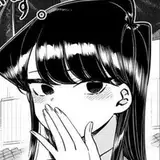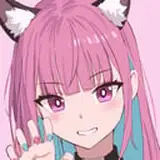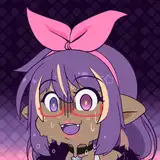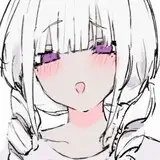
Before the process photos of HD2+ reward this month being posted, I want to introduce my inking brushes so far. You can download the brush file from attachment.
I have been consistently changing some minor settings, like stabilizer, size, opacity, etc.. No need to strictly stick to those default settings. And my smallest working resolution is 300+ dpi so you need to avoid using them in a low-resolution environment.

Smoke shape brush
The most versatile shape. Most of my works in Paintstorm Studio were done by brushes of this shape. It feels soft, smooth, organic and having slight textures, just like real pencils. However, it may not be ideal for finalization.

Knife shape brush
I haven't created any good example for these brushes...:/ It's sharper and better for drawing bigger structures. If you prefer to simplify forms by using straight lines and blocks, the knife(flat) shape brushes may be more easier and faster for doing so.

Triangle shape brush
Sharp and good for finalization. It's good for drawing both curves and straight lines. Also good for creating cross-hatching and filling shadows.

Circle shape brush
Good for drawing smaller and complex structures.
______________________________________
先分享一下我目前的線稿筆刷!Paintstorm Studio專用,筆刷檔請從附件下載。待會要po的過程內容講解也會提到一些筆刷使用感想。
我在使用這些筆刷時會不斷微調一些設定,比方說筆頭大小、抖動修正、流量等等,所以各位若要使用這些筆刷,不用堅持非得使用原本的設定不可。另外話說我的最小作業解析度是300dpi起跳,請勿在解析度過低的環境中使用這些筆刷,不然很快就會糊成一團。
煙型筆頭
過去幾個月間最常用的筆頭。筆感偏軟且帶一點材質,簡單來說就是仿著真實鉛筆的手感調出來的筆刷。適合打草稿,但不是很適合拿來完稿。
平筆頭
目前還沒有什麼比較成功的範例...適合拿來畫比較大的結構,對於習慣利用直線或方塊打稿的人來說可能比較實用。可能可以拿來完稿,但給我畫起來就是有點醜(抹臉)
三角筆頭
基本上仿著漫畫G筆調出來的筆刷,在完稿過程中很實用的筆尖。邊緣銳利、不管畫曲線或直線都很適合。也可以拿來塗陰影或畫效果線。
圓筆頭
適合拿來畫更小更複雜的結構。
其實很多人只需要圓筆尖就夠了,但可能我手抖王一個、帶點材質或像三角筆頭的筆尖對我來說比圓筆尖容易控制。可以的話我也很想練到一隻圓筆尖打天下啦哎(遠目)
K T
2018-10-31 15:23:41 +0000 UTCWendigo
2018-10-31 10:03:13 +0000 UTC