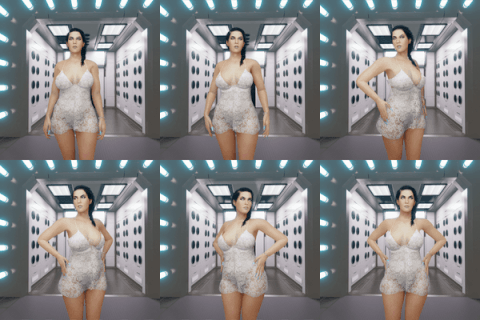
This tutorial features the upcoming Japanese School Classroom environment.
To learn more tips & tricks about vamX, including videos showing how to install vamX and Virt-a-Mate, read the vamX Help.
Users new to vamX
Installing and opening vamX is easy:
1) Download the latest version of vamX (marked Download on Patreon)
2) Put that file (without extracting it) into your Virt-a-Mate/AddonPackages folder.
3) Open (or close & re-open) Virt-a-Mate
4) Open the vamX scene, accepting the use of plugins
Tutorial Contents (in tutorial order)
Opening & Placing vamX UI in VR & desktop
Dancing & Animation
vamX Online YouTube Music Library
Clothes & Detaching Clothes
Poses
Actions & Smart Thrust
Manual Thrust, Twerking & Others
D*ldos
Chains & Spank*ng
Changing Female Looks
1-button Excellent Lighting
vamX Stories & Story Controls
2-second Scene Changes
Male Cumm*ng & Female Org*sm
Sound Options
vamX
2021-09-13 02:15:20 +0000 UTCKhoa Nguyễn Minh
2021-09-12 16:53:49 +0000 UTCvamX
2021-03-17 13:45:54 +0000 UTCsampletxt64
2021-03-17 06:58:36 +0000 UTCvamX
2021-03-09 10:10:50 +0000 UTCMedved
2021-03-09 07:06:58 +0000 UTCOscar Hale
2021-03-08 22:35:05 +0000 UTCMedved
2021-03-08 13:02:45 +0000 UTC