Hello! Are you ready for an update that's a whole month late?
What awaits you?
quest «investigation»;
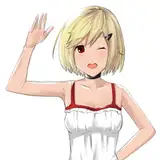
Nola sprite;
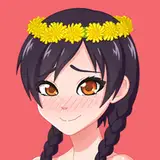
sprite of Rodinka that covers her naked body;
now you can see blood in the scene with the old people;
some fixed bugs.
Changes:
now you will definitely see the sprite of Rodinka that covers her naked body;
now you can definitely see blood in the scene with the old people;
now you can change your mind about the Rodinka's gift.
The «investigation» quest can be started by talking with the old man who stopped the caravan before entering Dorth.
===========================================================
And now a serious conversation for Android players.
I want to abandon the apk file, since it does not work stably, but it requires a lot of effort.
I want to abandon the apk file, since it does not work stably, but it requires a lot of effort. As an alternative, I can suggest you install JoiPlay from the official website ( https://joiplay.cyou/ ) along with the RPG Maker plugin.
Or install the MaldiVes application from Google Play.
Both of these applications are emulators of RPG Maker MV games.
In the first application, the heroine's sprite is pixelated, and in the second, the performance is lower.
You can try both and write your opinion about them to me. To do this, you need to download emulators, install them, download the Windows version of my game, unzip it, add a new game in the application by selecting Game.exe in the game folder.
Regarding the pixelated sprite of the heroine, I understand why this may be happening and I will contact the creators of the emulator, or I will fix it myself in the future.
===========================================================
Right now you can still download the apk file, with all the problems inherent in the android version.
Links to the game:
ENGLISH version - АНГЛИЙСКАЯ версия
RUSSIAN version - РУССКАЯ версия
Google Drive:
ENGLISH version - АНГЛИЙСКАЯ версия
RUSSIAN version - РУССКАЯ версия
Just extract/unzip the game archive.
Android users should just install or reinstall the game.
Mac users need to save the game in the Mac applications and insert the administrator password for this operation.
If you can't run RPGM games on Mac because you are running Big Sur OS then make a backup copy of the game.
1 - Open terminal
2 - Write this command
chmod -R 755
3 - Press Space after the command and drag in the game and press Enter
4 - Write your password and press Enter
5 - Now open the game as per normal (a big thank you to wfuzzypup, who wrote this manual).
Linux users should download nwjs from https://nwjs.io/downloads/ (NORMAL, either x64 or x32 depending on their system), extract nwjs archive into ToD: RLA directory (confirm overwrites), then launch by nw executable (it should already have execution permissions), either by ./nw or double clicking the file (a big thank you to Gryxx, who wrote this manual).
In case you want to continue the game from your last save, you need to move the "save" folder from the previous build into the the present one. You can find your "save" folder
for Windows and Linux users: just in the "www" folder
for Mac users: Game. app / Contents / Resources / app.nw, you have to open the two app.nw folders (previous and the new one) of the two games simultaneously from the Finder, then drag the save folder from previous build directly to new one's app.nw.
for Android users: just reinstall the game (without deleting the previous version), your saves must not disappear.
Don't forget you can leave all your proposals, questions, tricks and all the issues, typos and errors you’ve found on