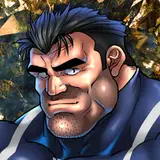
マウガのスキンの「ポールドペ」最高ですよね
というわけで、以前から描きたかったマウガとハルトのセックスを描いてみました。
マウガの腕部分の刺青の資料が更新されたということもあって、今回は刺青を今までよりもちゃんと描いたので本当に、本当に大変でした……。
イラストの差分や裸差分、おまけのソロ差分などはDiscordサーバーにて閲覧できます。
ご参加の上ご覧ください。
I love the "Port-de-Paix" of Mauga's skin!
So I drew the sex between Mauga and Rein, which I have wanted to draw for a long time.
The tattoo on Mauga's arm part was revealed in detail, so I drew the tattoo better than ever this time, so it was really hard work. ......
You can view illustration diffs, naked diffs, and extra solo diffs on the Discord server.
Please join us to view them.
To join my Discord server, please follow the steps below.
### How to Join a Patreon Creator's Discord
1. *Create a Discord account*
2. *Access the Member Account page*
- Log in to Patreon using your browser and navigate to the "Member Account" page.
3. *Go to the settings page*
- Within the "Member Account" page, proceed to the settings page.
4. *Click on the "More" dropdown menu*
- In the settings page, click on the "More" dropdown menu.
5. *Select "Connected Apps"*
- From the dropdown menu, select "Connected Apps."
6. *Link Discord*
- On the "Connected Apps" page, find the Discord option and click on the link.
7. *Link your Patreon account to Discord*
- Follow the instructions to link your Patreon account to Discord.
Once linked, you will automatically join my server on Discord.
【JPN】
私のDiscordサーバーに参加するには、以下の手順に従ってください。
1. *Discordアカウントの作成*
2 *Member Accountページにアクセス*
- ブラウザでPatreonにログインし、「Member Account」ページに移動します。
3. *設定ページに移動*
- 「Member Account」ページ内で、設定ページに進みます。
4. *ドロップダウンメニュー「More」をクリック*
- 設定ページにある「More」というドロップダウンメニューをクリックします。
5. *「Connected Apps」を選択*
- ドロップダウンメニュー内の「Connected Apps」を選択します。
6. *Discordをリンク*
- 「Connected Apps」ページでDiscordのオプションを見つけて、リンクをクリックします。
7. *PatreonアカウントをDiscordにリンク*
- 指示に従って、PatreonアカウントをDiscordにリンクします。
Discordにリンクされれば自動的に私のサーバーに参加できるようになります。