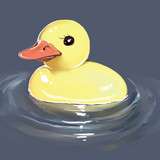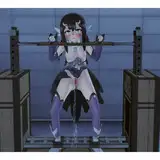
Water prims now obey the color setting of face 0 of the prim with the water prim tag.
So best way to make a water prim is this. First make a box in Second Life. Second, give it what ever textures and water you want to use as the fallback for other viewers. Heck you can even use an animated texture, it doesn't matter.
Color the texture to what ever color you want the water to be. Using a color that's close to the color of your texture would be best. In the above screenshots I'm just using a blank texture and coloring it. For best results make sure all sides are the same color. That makes it easier to ensure that you're getting the right color.
Feel free to adjust the transparency of your box. More transparency will make your water clearer, less transparency will make it more murky.
Next position and resize your box. Then add the tag #WATERBOX to the description field of the general tab of your box.
Do NOT cut, twist, skew, hollow, or otherwise torture the box. If you do, it'll still be just a regular box. Using other prim type will also result in just a regular box. Support for other prim types and tortured prims will happen eventually, it's just not right now.
Anyway, just resize it, position, and rotate it. When rotating it you might want to make sure that the side it was originally created with facing up is always facing up, otherwise funky results can happen. It won't break anything but it can have unpredictable results.
Next, any objects you want to interact with the water should have the tag #SPLOOSH in their description.
That's it.