一种合成工作流 / A Workflow for Composition
Added 2023-05-17 09:48:14 +0000 UTCEnglish version is in the second half of the article.
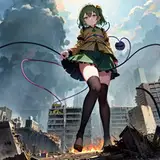
先放效果 / First, let's see the result:

我自己个人平时出图基本上是文生图(叠加巨大娘模型/ControlNet)直接出图,再做局部修复/高清修复,但是对于一些特定的互动很随机。
启发:在 arca 上看到的一个大佬的 AI 图,猜测至少是两步合成(文生图 + 图生图/局部重绘)+ (PS 手修? 再配合 AI 反复)。优点是比较可控,能做到很好的互动效果,缺点就是很花时间很麻烦(笑)。
首先出人物(底模直接出),不用叠加巨大娘的模型(参数可以直接下载原图查看,见 FAQ): 接下来先用局部重绘出天空背景,原理很简单,画个遮罩把人物和上半部分罩住,然后提示词给天空和云(强度拉高)。
为什么不直接重绘背景?直接重绘容易把上半部分也画出城市来,所以先把上半部分重绘成天空。 这个是遮罩(使用 GitHub - continue-revolution/sd-webui-segment-anything: Segment Anything for Stable Diffusion WebUI 插件生成,提高效率免得手动在 PS 里画)。
 同理接下来就是画下半部分的遮罩,然后局部重绘下半部分,这个时候可以选择使用巨大娘模型来辅助出城市,或者用一张城市的图片放进 ControlNet 用 Reference Only 预处理器。
除此之外,还想做到房屋插入的效果,可以用 ControlNet 语义分割模型来辅助 (seg),在想要的地方画一个大厦(下图的灰色色块)。 最后可以再修一下不满意的细节或者直接高清修复出图了。
--------------------- English Version ---------------------------
Personally, when I create images, I usually use txt2img (together with a giantess model or using ControlNet) to generate the initial image, and then I perform some repairs or high-res fix. However, for certain specific interactions, it tend to be very random and difficult.
Inspiration: I saw an amazing AI image on arca. I speculate that it is a composite of at least two steps (txt2img + img2img/inpainting) combined with manual editing in Photoshop and iterative AI processing. The advantage is that it offers better control and can achieve impressive interactive effects. However, the downside is that it is time-consuming and can be quite cumbersome.
First, generate the character (directly output using the base model) without using a giantess model (parameters can be viewed by downloading the original image, see FAQ).Next, use inpainting to paint the sky background. The principle is simple: create a mask to cover the character and the upper part, and then provide prompts for the sky and clouds (increase the intensity).
Why not directly inpaint the background? Directly inpainting can easily result in painting the city in the upper half as well. That's why I first inpaint the upper half to resemble the sky.The above is the mask (using GitHub - continue-revolution/sd-webui-segment-anything: Segment Anything for Stable Diffusion WebUI plugin to generate, which can increase efficiency instead of creating mask manually in Photoshop).
Similarly, the next step is to create a mask for the lower half and then perform inpainting on it. At this point, you can choose to use a giantess model to assist in generating the city, or use an actual city image and process it with ControlNet using the "Reference Only" preprocessor.
In addition to that, I also want to achieve the effect of inserting buildings. This can be assisted by using the ControlNet semantic segmentation model (seg). Simply draw a building in the desired location (represented by the gray block in the image below).Finally, you can make further adjustments to unsatisfactory details or directly perform high-res fix to finalize the image.