ビートセイバーに癒しを!
ビートセイバーが大好きなねこです。あなたの上手なプレイをたくさん見せてあげるとなかよくなれるかもしれません。
Healing for Beat Saber!
This cat loves Beat Saber. If you show her/him many of your good plays, you may get along well with her/him.
設定画面内に見える柵が、ねこの移動可能範囲を表します。コントローラー付近に見える球が、ねことインタラクションするためのあなたの手の位置を表します。(設定でセイバー位置を動かしている場合、リアルの手の位置とずれがあります)
Area Size: 移動可能範囲
Lighting Fix: ねこが暗い、または、青みがかかって表示される場合、このスライダーを上げてください
Display Layer: 初期設定では、アバターと同じ扱いになっていますが、VMCAvatar modでアバター非表示設定にすると、ねこが見えなくなるかもしれません。そのときはDefaultに設定してください。(ただしこの場合は床ミラーにうつらなくなります)
Lite Cat: 負荷の小さい軽量モード。Furは表示できません
Cat Size: 大きさ
Fur Length: ふさふさ (0にするとGPU負荷が下がります)
Body, Eye: 見た目
Quiet spectator during song play: 曲プレイ中はおとなしく観戦する
Meow Volume: 鳴き声の音量
Note Chase: ねこが追いかけるミニノーツ遊び (床をトリガー) を有効にするか
The fence visible in the setup screen represents the cat's movement field. The sphere near the controller represents the position of your hand to interact with the cat. (If you have moved the position of the sabers in the settings, there will be a deviation from the real hands position.)
Area Size: Area of movement
Lighting Fix: If the cat is displayed dark or bluish, increase this slider
Display Layer: By the initial setting, the cat is treated the same as the avatar, but if the avatar is hidden in the VMCAvatar mod, the cat may not be visible. In that case, set it to Default. (In this case, however, the cat will not appear in the floor mirror.)
Lite Cat: Lite mode with low load; Fur not be displayed
Quiet spectator during song play: Quiet spectator during song play
Fur Length: Setting it to 0 reduces the GPU load
Note Chase: Enable mini-notes play (trigger the floor)
(Beat Saber Dir)\UserData\NalulunaCat
に特定のファイル名のPNG画像を配置すると、テクスチャの置き換えが可能です。
Body: 1, Eye: 1, Fur Length: 0.1以上のときのみ有効。下記サンプル画像参照。
cat_body.png: 体
cat_eye.png: 目
cat_furmask.png: ファーマスク (色が黒に近い部分ほどファーが短くなる)
(Beat Saber Dir)\UserData\NalulunaCat
You can replace the textures by placing a PNG images with a specific filename in the above directory. Effective only when Body: 1, Eye: 1, Fur Length: 0.1 or more. See sample images below.
cat_body.png: Body
cat_eye.png: Eye
cat_furmask.png: Fur mask (the closer the color is to black, the shorter the fur)
簡易的に読み込むだけのおまけ機能です。猫用の共通ボーンなどは存在しないので、内蔵のアニメーションは動きません
This is just an extra feature for simple loading. There are no common bones for cats, so built-in animations will not work.
1. Unity で Asset Bundle Browser をインストール
2. cat_model という prefab を作成する
3. cat_model の prefab を AssetBundle として登録
4. Asset Bundle Browser でビルド
5. 出力された AssetBundle ファイルを cat_model.asset として下記に配置
(Beat Saber Dir)\UserData\NalulunaCat
1. install Unity's Asset Bundle Browser
2. create a prefab of GameObject named cat_model
3. register the prefab to the AssetBundle named cat_model.asset
4. Build with Asset Bundle Browser
5. Place the output cat_model.asset file in the following location
(Beat Saber Dir)\UserData\NalulunaCat
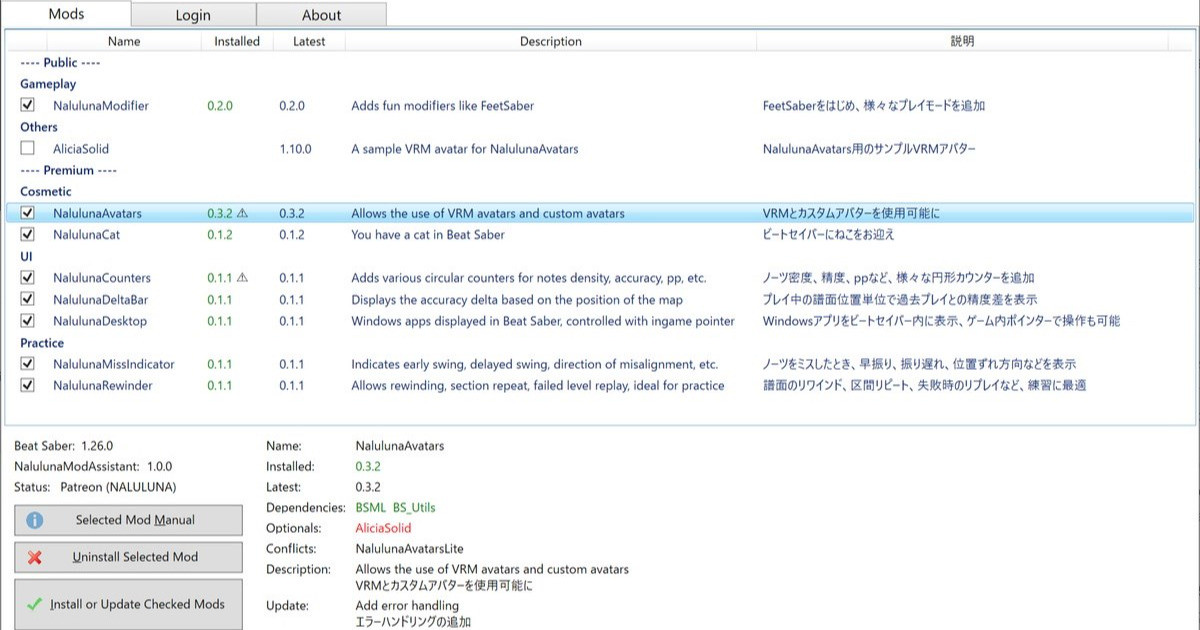
現在対応しているビートセイバーバージョン: Beat Saber versions currently supported: 1.29.1, 1.34.2, 1.37.1 1.39.1 (ほとんど対応、現在対応作業中 Mostly supported. Work in progress) 1.40.6 (一部対応、現在対応作業中 Partially supported. Work in progress) 1.29.1, 1.34.2, 1.37.1 は、ストアの機能で選択...
NalulunaCat 0.1.0 以降は、NalulunaModAssistant で利用可能です。
NalulunaCat 0.1.0 or later are available with NalulunaModAssistant.
より古いバージョンが必要な場合、FANBOX のメッセージ ( https://bit.ly/3XhHhlt ) でご連絡ください。
If you need a older version, contact me via FANBOX message. ( https://bit.ly/3XhHhlt )
0.0.11
- マテリアルカラー設定を追加
- ミニノーツのパーティクルを変更
0.0.10
- ねこが追いかけるミニノーツ遊びを追加 (床をトリガー)
0.0.9
- 一部環境で、メニュー画面中にねこが青みがかって表示される場合に対応 (この場合も設定の Lighting Fix を上げてください)
- ほか細かい調整
0.0.8
- 軽量モードを追加
- ほか細かい調整
0.0.7
- 黒猫のテクスチャを修正
- 顔部分のファーの長さを短く調整
- 動きを改善
0.0.5
- 見た目設定を追加
- 挙動設定を追加
YI
2023-09-04 13:06:37 +0000 UTCなるるるるな / NALULUNA
2023-09-03 14:29:45 +0000 UTCなるるるるな / NALULUNA
2023-09-03 14:28:35 +0000 UTCYI
2023-09-01 11:09:56 +0000 UTCSp00ky_C0de
2023-08-19 23:25:00 +0000 UTCなるるるるな / NALULUNA
2023-08-08 08:47:31 +0000 UTCなるるるるな / NALULUNA
2023-08-08 08:45:53 +0000 UTCなるるるるな / NALULUNA
2023-08-08 08:42:47 +0000 UTCSp00ky_C0de
2023-08-03 01:03:56 +0000 UTCDietah
2023-04-22 11:29:00 +0000 UTCSp00ky_C0de
2022-10-01 05:55:10 +0000 UTCなるるるるな / NALULUNA
2022-09-25 11:41:18 +0000 UTCDingliang Wang
2022-09-24 10:36:07 +0000 UTCなるるるるな / NALULUNA
2022-08-14 18:37:41 +0000 UTCなるるるるな / NALULUNA
2022-08-14 18:36:40 +0000 UTC安 顏
2022-08-14 10:27:56 +0000 UTC東京にゃんこTokyoCat
2022-08-12 22:52:06 +0000 UTCなるるるるな / NALULUNA
2022-08-12 18:27:20 +0000 UTCなるるるるな / NALULUNA
2022-08-12 18:25:02 +0000 UTCなるるるるな / NALULUNA
2022-08-12 18:24:52 +0000 UTCもで
2022-08-12 16:48:14 +0000 UTCJAN
2022-08-12 13:59:51 +0000 UTC天の川
2022-08-12 13:11:03 +0000 UTC