
ビートセイバー内で、フレームレート(fps)、1フレームあたりのCPU/GPU処理時間、メモリー使用量をグラフ表示するmodです。
mod、アバター、カメラなどの追加は、プレイ中の処理落ちが発生しないよう、PCの性能とのバランスを見ながらになりますが、こちらのmodを使用することで、実際の負荷の余裕を確認しながらの設定が可能になります。
Frame Timeでは、1フレームを処理するのにかかった総処理時間の背景と、CPUとGPUの処理時間の線を表示しています。CPU, GPUは並行して処理が行われる部分もあり、総処理時間は足し算にはなりません。
実際のところ、CPUは複数のスレッドで動いていて、ここで表示しているCPUの線はBeat Saberのメインスレッドのみです。グラフに表示されているCPUやGPUの負荷が低いのに処理が遅くなっている場合は、他のスレッドが性能低下の原因になっています(レンダリングスレッドやエンコードスレッドかもしれません)。
総処理時間が以下の時間を超えると、いわゆる「処理落ち」になります。
72fpsの場合、13.9ms
90fpsの場合、11.1ms
120fpsの場合、8.3ms
144fpsの場合、6.9ms
ちなみに、VRのゲームでは、タスクマネージャーやAfterburnerなどのCPU使用率、GPU使用率はほとんど意味がありません。VRゲーム中、例えば90fpsで動作できない場合は45fps動作に落ちますが、このときCPU/GPUは半分のフレームしか処理しなくて良いので使用率は大きく下がりますが、処理能力は不足している状態です。
メモリー使用量の表示は以下の通りで、単位は MB です。
P: プログラムのワーキングセットメモリー (Process Explorer の表示と同じ。タスクマネージャーの数字とは異なる場合があります)
U: Unity が確保したメモリー (アンマネージド)
M: Mono (UnityのうちC#部分) が使用中のメモリー (マネージド)
This mod displays the frame rate (fps) and CPU/GPU processing time per frame in Beat Saber.
Adding mods, avatars, cameras, etc. will require you to balance the performance of your PC to avoid slowdowns during play, and this mod will allow you to check the actual load margin while making settings.
Frame Time shows the background of the total processing time and the lines of CPU and GPU processing times. CPU and GPU processing times do not add up because some parts are processed in parallel.
Actually, the CPU is running in multiple threads, and only the main thread of Beat Saber is shown as CPU line. When the CPU and GPU shown in the graph are under low load but the processing is slowing down, other threads are causing the performance drop (Maybe the rendering thread or the encoding thread).
If the total processing time exceeds the following time, it is so-called "dropped frame."
13.9ms for 72fps
11.1ms for 90fps
8.3ms for 120fps
6.9ms for 144fps
Note that in VR games, CPU utilization and GPU utilization in Task Manager, Afterburner, etc. are almost meaningless. For example, during a VR game, if the game cannot run at 90fps, it will drop to 45fps, and at this time CPU/GPU will only process half the frames. The utilization rate drops dramatically, but but the processing power is still insufficient.
Memory usage is displayed as follows, in MB
P: Memory working set for the program (same as displayed in Process Explorer. This may differ from the number in Task Manager)
U: Memory allocated by Unity (unmanaged)
M: Memory in use by Mono (managed)
(Beat Saber Dir)\UserData\NalulunaFps.json
の設定ファイルを直接書き換えることで、設定の直接記述が可能です。なお、設定ファイルの編集に失敗すると、設定が失われるため、編集前に設定ファイルのバックアップを取っておくことをおすすめします。
You can edit the setting json file. Note that if you fail to edit the file, the settings will be lost, so it is recommended to back up the file before editing.
現在対応しているビートセイバーバージョン: Beat Saber versions currently supported: 1.29.1, 1.34.2, 1.37.1 1.39.1 (ほとんど対応、現在対応作業中 Mostly supported. Work in progress) 1.40.6 (一部対応、現在対応作業中 Partially supported. Work in progress) 1.29.1, 1.34.2, 1.37.1 は、ストアの機能で選択...
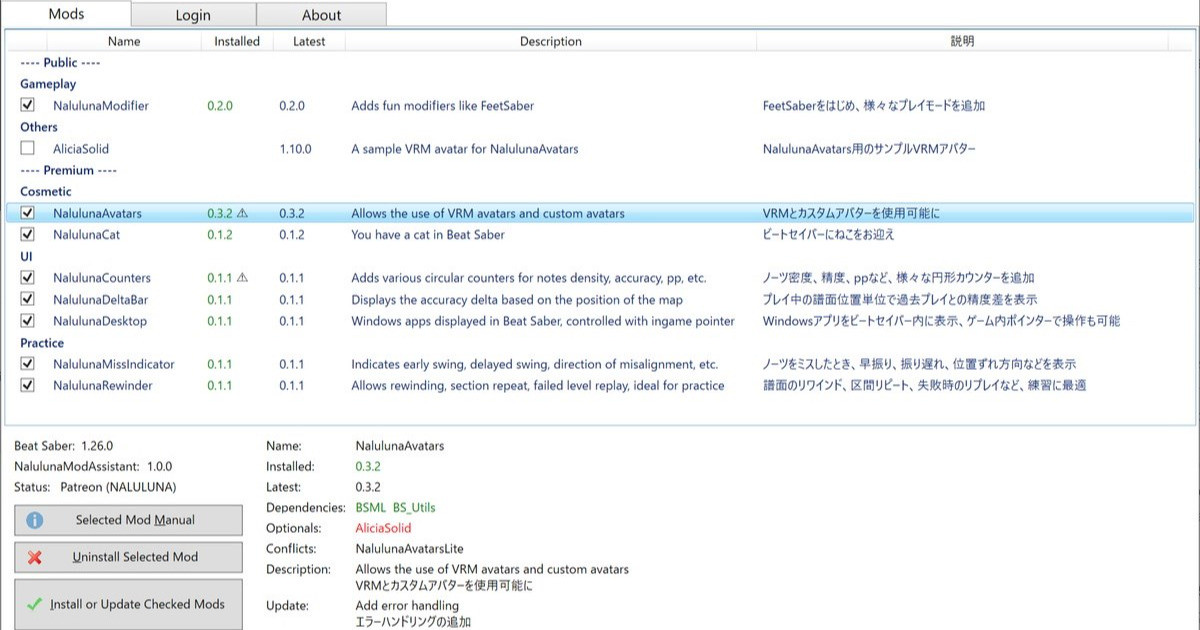
NalulunaFps 0.1.0 以降は NalulunaModAssistant でインストール可能です。
NalulunaFps 0.1.0 or later are available with NalulunaModAssistant.
より古いバージョンが必要な場合、FANBOX のメッセージ ( https://bit.ly/3XhHhlt ) でご連絡ください。
If you need a older version, contact me via FANBOX message. ( https://bit.ly/3XhHhlt )
0.0.5
- 表示レイヤー設定を追加
0.0.4
- Generalタブが消えていた点を修正
0.0.3
- グラフの配置角度設定を追加
- 一部設定を0.1単位から0.05単位に
0.0.2
- NalulunaFps.jsonを手動で編集したとき即反映されるように
なるるるるな / NALULUNA
2022-04-14 04:52:02 +0000 UTCなるるるるな / NALULUNA
2022-04-14 04:51:46 +0000 UTCJAN
2022-04-13 20:44:45 +0000 UTCGayusu
2022-03-07 00:43:07 +0000 UTC