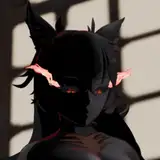
Akari Release
Added 2023-04-20 09:32:36 +0000 UTCI wanted to do something animated after a long time but it only has one part(´__`
If you open the animated scene after accepting the plugins the physics explode, if that happens you need to turn off and then on the Collision in the Person#2 inside the Control & Physics 1 option, or sometimes the Person#2, there are 3 sliders to play, stop and adjust the speed of the scene on the left side (`▽´)
I will continue to edit the animated scene to add more parts (`▽´)