This seems to happen a lot: I'll be working on one thing and it leads to working on something else, which leads to... well, you get the idea. The Compass window has been in the process of getting upsized recently, but a couple of days ago there was a request in Discord from Stigian to add a directional tracking arrow for waypoints. Which of course would involve the compass.
The green EQ1-style waypoint nav assist actually started out (back in 2018) as an arrow in the middle of the screen, but for several reasons it got vetoed and turned into what we have today which I think is a great solution. I stay lost most of the time, so the green bar gets used a lot. Out of curiosity I rummaged around in the Darq Side archives and to my amazement I found the old nav arrow code.
So, no time like the present, right? It worked out pretty well, because some recent improvements to the window involved repurposing three of the four decorations for new features. I had been wondering what to do with that fourth decoration. A day or so later you now have a sharp new GPS option. Try it out!
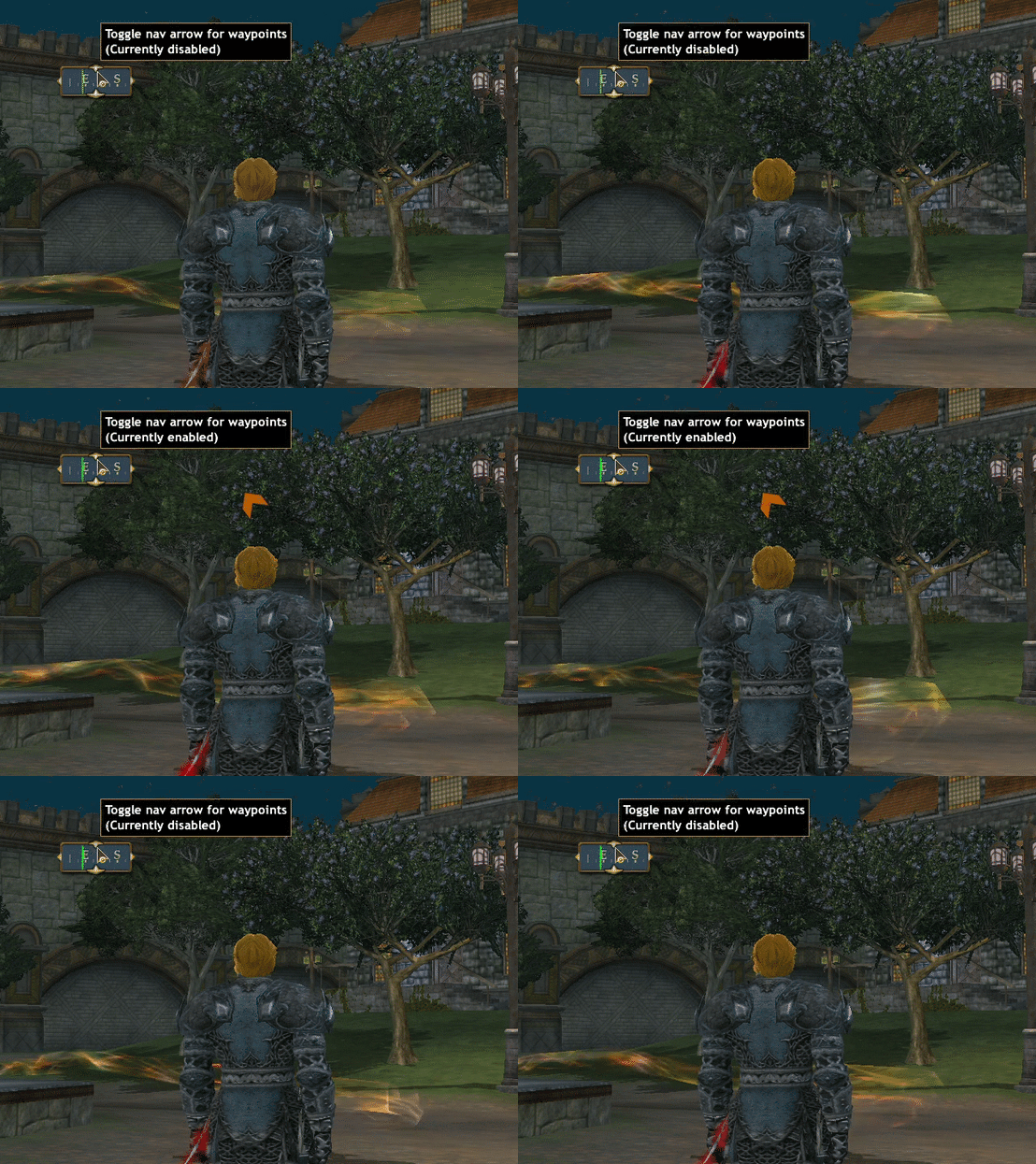
All the compass videos should probably be combined into one, but let me show you the new item here. It'll be a lot quicker. Click the top decoration to enable or disable the nav arrow for waypoints:
The arrow is actually its own little window, and it behaves like any other window -- you can move it around, resize it, give it a frame and backdrop, lock/clickthrough, etc.
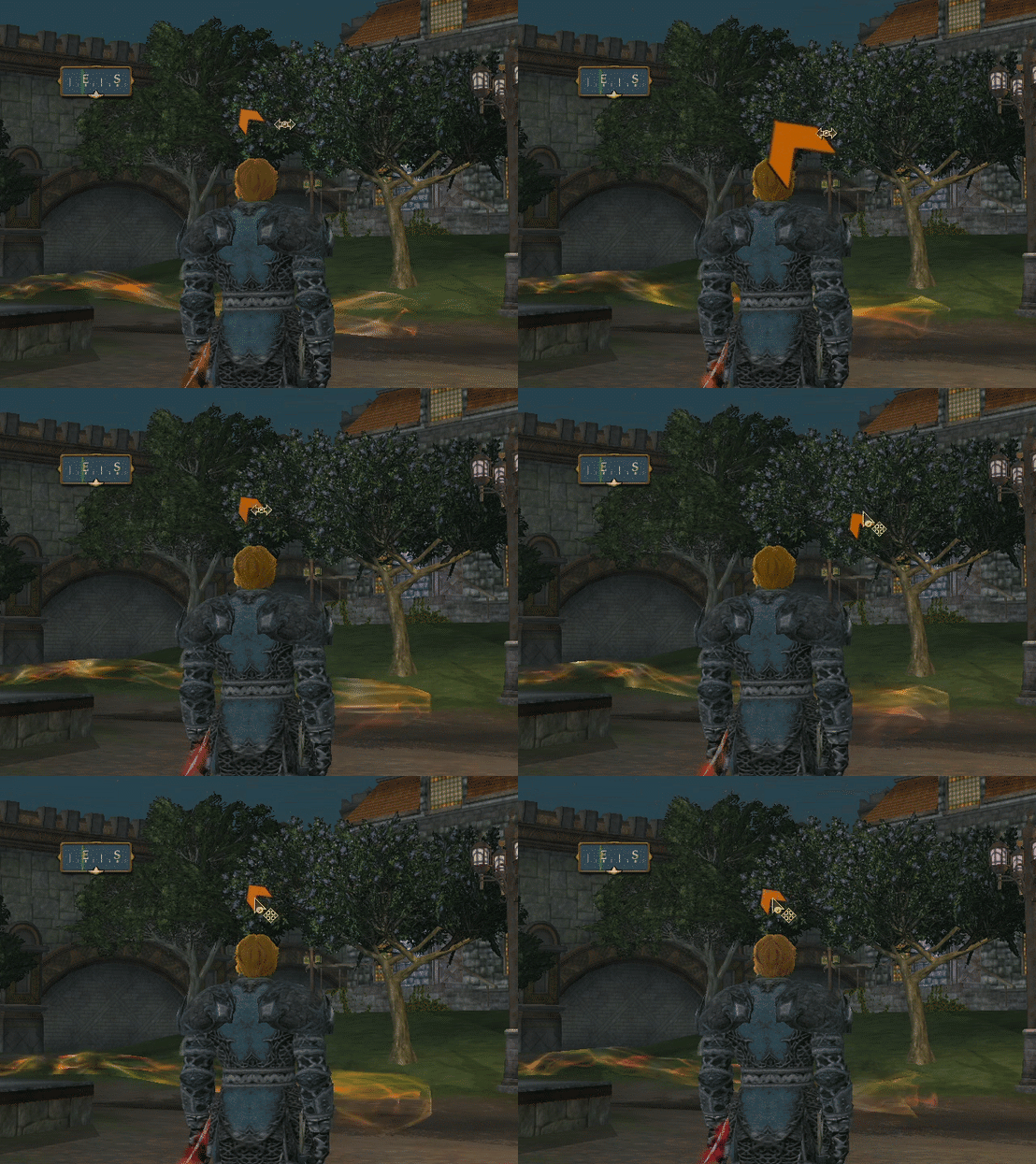
If you like the new nav option and prefer to have it enabled by default whenever you use /way, I can show you how to do that. It's really easy, just let me know. Right now you enable the arrow once for the current session.
Also regarding the compass, if you're like me you keep the Zone and Loc info hidden most of the time. But there have been times when I log out with it showing, and then when I log back in, the compass looks a bit squished. That's also been looked at, so the compass window should be the right shape when logging back in without Zone/Loc info.
And finally, while all that was happening, I also noticed one of the few remaining spots where your new font choices were not appearing: Non-conversational chat bubbles (the ones where an NPC says something as you walk by.) It may sound weird, but the new nav arrow and the chat bubbles live in the same area of code, so it made sense to tackle them at the same time. Now chat bubbles of all types should appear in the correct font. Take a look -- that's the image at the top of this post.