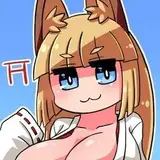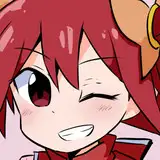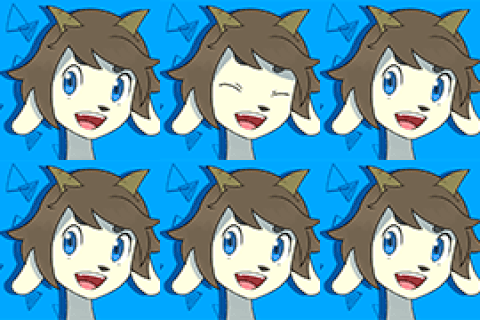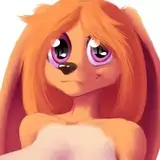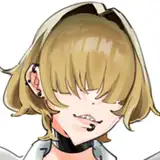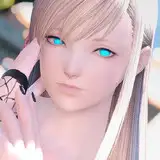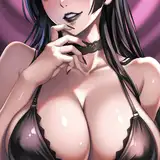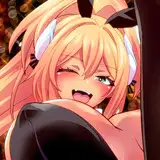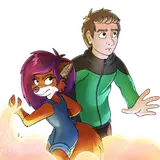
INPAINTING highly suggested to fix face, and so on. Other than that, enjoy!
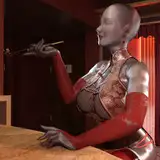
Trigger Words: Peg Pete, P3gpete, p3g, milf, mature female, red hair, black eyes, dark red hair in a tri-do, tri-do hair, long eyelashes, blue eyes, dog nose, snout,jewelry, gold hoop earrings
Weight: 0.8/0.95
How to use the LoRA?
1. its a MUST to use a https://civitai.com/models/257749/pony-diffusion-v6-xl (Pony Diffusion V6 XL) checkpoint. So first of all download this with VAE folder they provided.
(NOTE! Download and use https://civitai.com/models/288584/autismmix-sdxl model for creation. Download the Pony Diffusion Model for base and VAE.)
Put the Checkpoint at your Checkpoint folder; (...stable-diffusion-webui\models\Stable-diffusion)
And put your VAE folder on your VAE folder; (...stable-diffusion-webui\models\VAE)
2. Download the provided LoRA file and put it on your LoRA folder following: (...stable-diffusion-webui\models\Lora)
3. Open Stable Diffusion and do these settings before generating;
Sampling Method: Euler a
Sampling Steps: at least 40
Width: 832 or 1024
Height: 1216 or 1024
CFG Scale: at least 7.5
Clip : 2
Optional : Enable Seed randomizer by clicking Extra next to Seed.
Variation strenght: 0.5 at least. (This will provide different poses and angles. WARNING. May not work if you specify a pose or angle, lighting and other aspects on prompt.)
4. Add the following special prompts for Pony Checkpoint on your positive prompts. (MUST BE ADDED TO CORRECTLY GENERATE);
score_9, score_8_up, score_7_up, (General structure of quality. MUST BE ADDED IN.)
Source_Cartoon (Will give cartoonish style)
Source_Anime (Will give anime style)
Source_Furry (Will give and help Furry/Anthro style)
You may combine these to get mixed results. If it doesn't work or provide help and make bad results, just stick with one. It's a must at least using one source command.
Ratings:
'rating_safe', 'rating_questionable', 'rating_explicit'
Rating safe: Will give SFW images.
Rating Questionable: Will give SFW-ish images. May also give NSFW.
Rating Explicit: Will give NSFW images.
It's a must if you wanna make sure you'll get the desired result.
TAGS;
You have to add tag1, tag2 command on the last line. (Not required for Autismmix)
So, in a scenario you wanna go with "score_9, score_8_up, score_7_up,(just describe what you want, add lora command here), tag1, tag2" in your prompt.
I highly suggest creating a Style command so you don't have to enter these almost all of time. Otherwise, results will be bad.
FOR THE NEGATIVES:
Add "score_4, score_5,score_6," to increase the overall quality of image. Must be added to first line of negative prompts.
5. Add the LoRA at the end of Score Tags.
Add the LoRA, then following trigger prompts to activate the LoRA.
6. Generate, and enjoy.