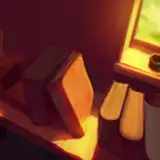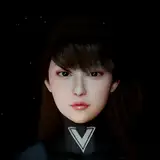
Diamond ENB has evolved into a very fantastic and beautiful ENB.
You can see more sample images on Nexus.
It will be more fun to take screenshots :)
■Required environment
ENB v0.315 to 0.439 (ENB after v0.444 has a problem that the selection of LUT is shifts, so the supported version is up to v0.439.)
.NET Framework 3.5 (Required for setting tool)
■ Required MOD
Diamond ENB Weather.esp (included with this ENB)
Or Climates Of Tamriel - Weather - Lighting - Audio
(Because it is adjusted based on these weathers, it may not be the intended brightness when using other weather mods)
■ Recommended MOD
Skyrim HD - Terrain Parallax Tribute or Skyrim HD - 2K Textures
WATER - Water And Terrain Enhancement Redux
Skyrim particle patch for ENB
★Download
https://www.nexusmods.com/skyrim/mods/62406
Version 1.6 04/10/2021
- Added weather esp
- Added each adjustment function to the selective LUT function.
- Improves the appearance of characters.
- Adjust lighting for weather, sun, flames, etc.
- Adjust the brightness of sunlight and stars.
- Improves water surface reflection.
- Renewal of bloom effect.
■ How to use LUT
1. In the game, open the ENB setting screen with "Shift + Enter" and click "ENBEFFECT.FX" from the "Shader parameters" window.
2. Click the list of "TECHNIQUE" and select your favorite LUT and check the Enable LUT.
3. The LUT Intensity, Brightness, Contrast, and Gamma can be adjusted according to your preference.
4. Close the ENB setting window with "Shift + Enter".
Custom 1 - Custom 10 is a self made LUTs. (Custom 1 is a sample LUT with little brightness)
Please overwrite your favorite LUT to Custom_LUT1.bmp ~ Custom_LUT10.bmp in "enbseries/LUT".
■ How to use DOF
1. Open the ENB setting window by pressing "Shift+Enter" in the game and click "ENBDEPTHOFFIELD.FX" in the "Shader parameters" window. (Please open the console and fix the screen beforehand.
2. Lower the "DOF: Far blur curve" value to about 1.5 to 1.0.
3. Change the DOF: Autofocus sample centerX and DOF: Autofocus sample centerY values to focus on the subject you want to focus on, and the background will blur.
4. Close the ENB setting window with "Shift + Enter".
You can change the brightness of the blurred background from "DOF: Bokeh Intensity".
If the FPS decreases when blurring, change the "DOF: Bokeh shape quality" value.
日本語の解説はこちらをご覧ください。