Dead Rising Deluxe Remaster - HDR Optimized Settings
Added 2024-10-02 08:52:04 +0000 UTC
The game is NOT using/applying Xbox, Playstation or PC HDR Calibration app settings.
The game has a good HDR implementation with a Peak HDR Luminance slider (not in nits) which can go up to 5.000 nits and a Paper White slider, while also having perfect black levels.


If you have an LG OLED and:
> you're using Dynamic Tone Mapping or Dynamic Contrast:
Set Max Brightness (HDR) slider to: +8 Clicks (from Middle/Default, which is around 4.000 nits);
Leave Brightness (HDR) slider to: Middle/Default
> you're using HGIG:
Set Max Brightness (HDR) slider to: -2 Clicks (from Middle/Default, which is around 800 nits) or 0/Mid (for G2/C4) or +4 Clicks (for G3/G4)
Leave Brightness (HDR) slider to: Middle/Default
If you don't have an LG OLED and:
> you don't have an HGIG option:
Set Max Brightness (HDR) slider to: Middle/Default (which is around 1.000 nits)
Leave Brightness (HDR) slider to: Middle/Default
> you're using HGIG:
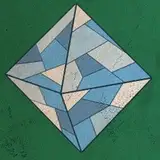
Set Max Brightness (HDR) slider to the exact point where the pattern completely disappear
Leave Brightness (HDR) slider to: Middle/Default
Enjoy :)
-P