![[Animation Breakdown] Pushing Flash to its limits | (Part 1) | Flash, HTML5, and having to learn how to optimize](https://img5.xaiju.com/storage/1/nv/mk/d38796-019e83f6-2013-70e8-bdc2-9265c70664ba.png)
![[Animation Breakdown] Pushing Flash to its limits | (Part 1) | Flash, HTML5, and having to learn how to optimize](https://img5.xaiju.com/storage/12/en/rg/d38796-019e83f6-2015-7bdb-a19f-063197d211c6.png)
It's been a while since I've done one of these, huh?
Over this Animation Breakdown, I'll be describing why I've had to put more time into animations lately, why Android ports look so different, and why I had to abandon HTML5 animations all together.
I'll try to keep this one brief. The very basic reason was, very basically, it was holding my code back. I couldn't program as well in JavaScript as I could with AS3, and when I programmed with making the animation into a HTML5 canvas in mind, I found that I had to skip a lot of features that would have made my animations more interesting.
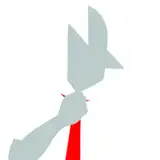
For example, I wouldn't have been able to make Shinano in HTML5 due to the way I had programmed it, and if it had have got made certain artistic elements would have had to have been abandoned.

These "trees" have been blurred using the blur filter which isn't available to HTML5. It looked fine without the blur filter, but having it blurred added depth.
Having to knee-cap my code AND the feel of my animations had meant I had already pushed HTML5 to its limit; and I was already feeling tired basically reprogramming an animation twice. It added hours of work to my animations when it was easier to create an android app and give that to non-PC users instead. Which leads me onto the next topic...
When I started making Android ports, my goal was to make my animations as accessible to everyone as possible. However, I hadn't accounted for the fact that maybe a phone from 2010 couldn't handle Flash animations the same way a phone from 2020 could. I would begin to see the effects of this with Shun. I had put a lot of effects onto her, and I suddenly found my 2016 Sony Xperia was having issues with lag.
When I limited these effects, mostly just the blur effects, the ports ran fine. This was the first "oh shit" moment I had when it came to filters and pushing Flash. I couldn't just slap filters onto everything, I'd lose performance!
This is far more evident in my Hex animation:

On the left you can see how I've used blur effects to give the character a bit of an outline. However, whenever the tick to cause her to blush started, I found the animation lagged so I had to tune down the blur effects.
Then when it got to testing on Android, my Google Pixel 5 couldn't even run the animation with all the filters on so I had to erase all these filters from the Android port to even get it to run - which you can see on the right.
I had to remove her hair blur, the blur from the cushions, and the blur from behind her.
This is also an issue I had with Rosaria recently too. There's a glow effect I use on Rosaria whenever I want to expand her, but I found that when I had the glow, blur, and dust effect come in at once, it lagged on my PC. I had hit the wall of what Flash was capable of doing, and learnt that maybe I need to cool it with the blur effects.
I want to make them prettier, but without sacrificing performance. To do this, I need to abuse gradients and other tools. As I pointed out in the Hex animation above, the circle under her is not actually a blurred object. It's a gradient colour:
 This gives her the illusion of casting a shadow as she sits, while costing nothing in performance. I also use these gradients as shading on body parts, as seen in earlier Hex images - especially around her thighs.
Because of how costly these effects can be, I can't just abuse them as I used to. I need to be creative with how I replace them, too. All of this accumulates to far more work needed to put into them.
With clever use of gradients, opacity, and usage of colours, I can create the illusion of blurs, outlines, and more.
However, there are some filters I can use without worrying too much about their performance... I've used them a few times in the past, but this post is too long so I'll make another post about that.
You can read that separate Animation Breakdown here: https://www.patreon.com/posts/117138666